







ZU600UST
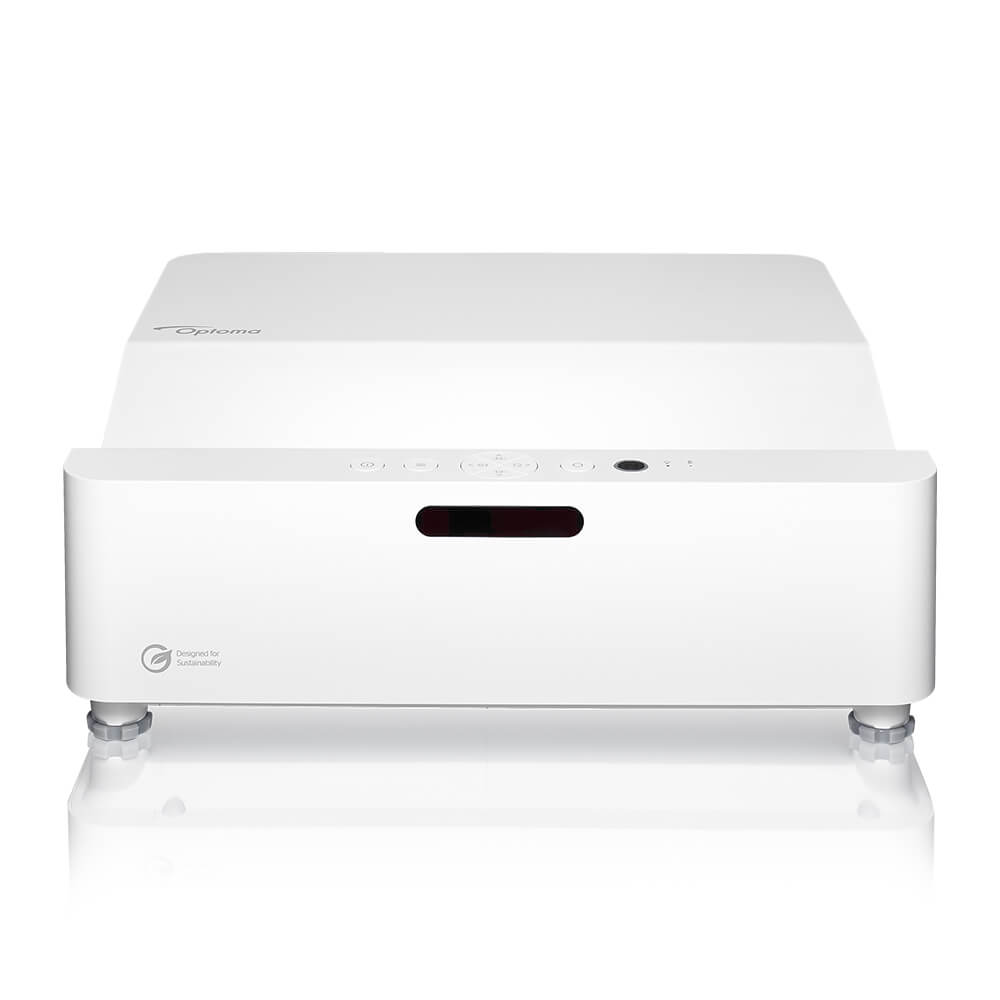
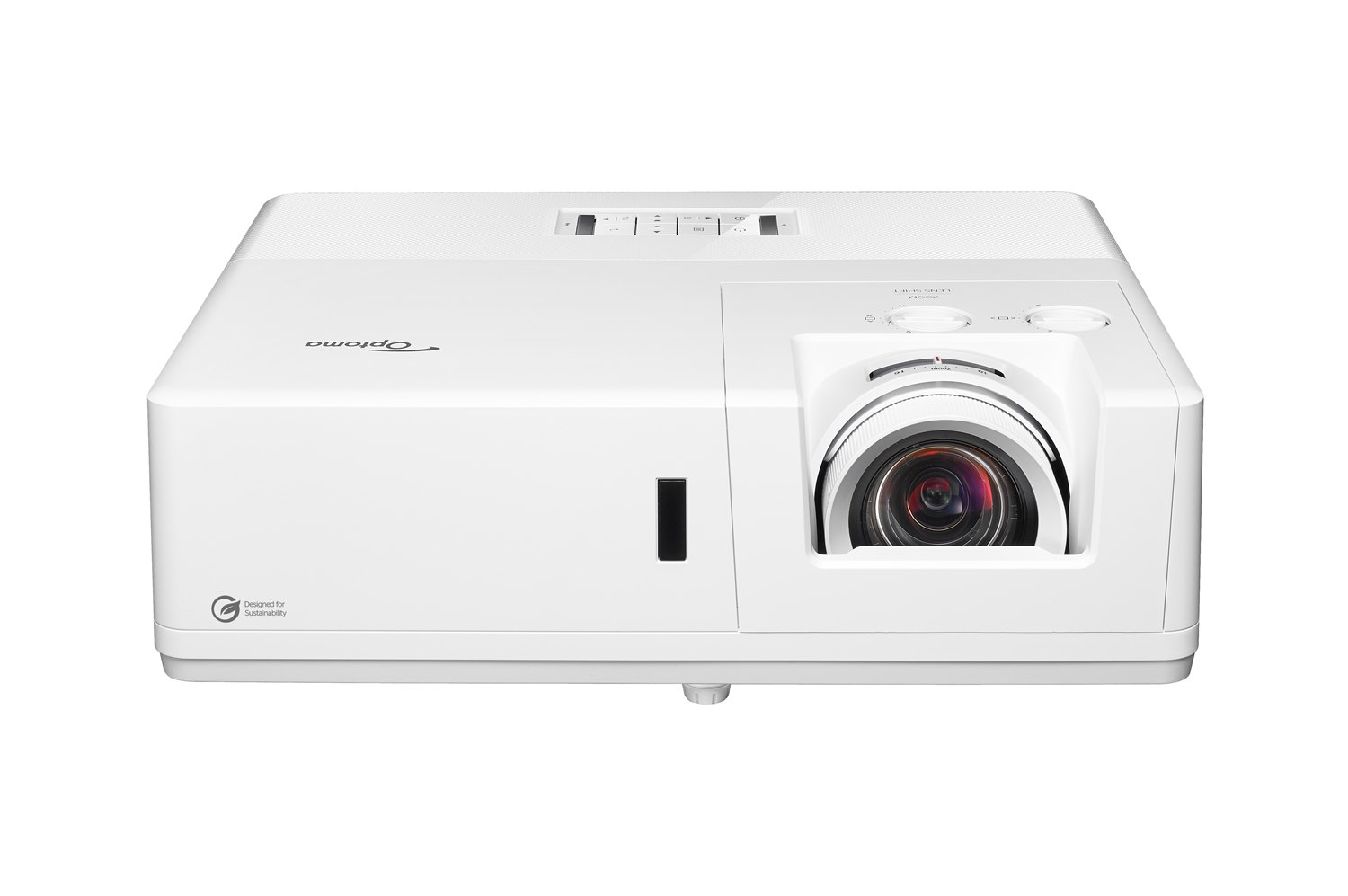
ZU600UST - WUXGA 6,000-Lumen Ultra Short Throw Laser Projector
Bring bright, immersive visuals to even the tightest professional spaces. The Optoma ZU600UST is a compact 6,000-lumen* WUXGA laser projector built for space-limited environments, from huddle rooms to command centers. With ultra short throw projection, up to 30,000 hours of laser life, and centralized management through Optoma Management Suite (OMS™), the ZU600UST delivers powerful visual impact with easier installation, lower maintenance, and reliable 24/7 performance.
*Brightness measured according to ISO 21118
6,000-Lumen Brightness: Clear, vivid projection that holds up in rooms with ambient light.
• 30,000 Hour Laser Life: DuraCore laser ensures reliability and low TCO
• Ultra Short Throw: Mount it close to the screen for shadow-free viewing.
• Four-Corner Geometric Correction: Fast, easy alignment even on non-standard mounting setups.
• Optoma Management Suite (OMS™): Enables centralized monitoring and control across multiple devices
• Optoma Smart Control App: Intelligent screen alignment and remote control directly from your mobile device
*Brightness measured according to ISO 21118
6,000-Lumen Brightness: Clear, vivid projection that holds up in rooms with ambient light.
• 30,000 Hour Laser Life: DuraCore laser ensures reliability and low TCO
• Ultra Short Throw: Mount it close to the screen for shadow-free viewing.
• Four-Corner Geometric Correction: Fast, easy alignment even on non-standard mounting setups.
• Optoma Management Suite (OMS™): Enables centralized monitoring and control across multiple devices
• Optoma Smart Control App: Intelligent screen alignment and remote control directly from your mobile device
ZK608T
Optoma ZK608T: True 4K UHD 6,000 Lumens Laser Projector
The ZK608T delivers stunning 4K UHD image quality, day after day, year after year. Whether it's running lecture capture in a 300-seat hall, anchoring a house of worship's Sunday service, or powering a digital signage wall that can't afford downtime, the ZK608T is engineered to run 24/7 and just keep working.
6,000 Lumens* of True 4K UHD Resolution (3840x2160): Paired with HDR10 and HLG compatibility for sharp, vivid, and cinema-grade visuals, even in bright light environments.*Brightness measured in accordance with ISO 21118
• Maintenance-Free by Design: DuraCore laser light source rated for 30,000 hours (Eco). eliminating the need for regular filter replacements and significantly reducing total cost of ownership.
• Built for Real-World Installs: Manual horizontal and vertical lens shift, a flexible 1.2:1–1.92:1 throw ratio, and ±30° keystone correction provide flexibility to fit almost any room
• Ready to Go, Out of the Box: Built-in 2 x 15W speakers providing added flexibility for installations where external audio systems may not be required.
6,000 Lumens* of True 4K UHD Resolution (3840x2160): Paired with HDR10 and HLG compatibility for sharp, vivid, and cinema-grade visuals, even in bright light environments.*Brightness measured in accordance with ISO 21118
• Maintenance-Free by Design: DuraCore laser light source rated for 30,000 hours (Eco). eliminating the need for regular filter replacements and significantly reducing total cost of ownership.
• Built for Real-World Installs: Manual horizontal and vertical lens shift, a flexible 1.2:1–1.92:1 throw ratio, and ±30° keystone correction provide flexibility to fit almost any room
• Ready to Go, Out of the Box: Built-in 2 x 15W speakers providing added flexibility for installations where external audio systems may not be required.
ZH521
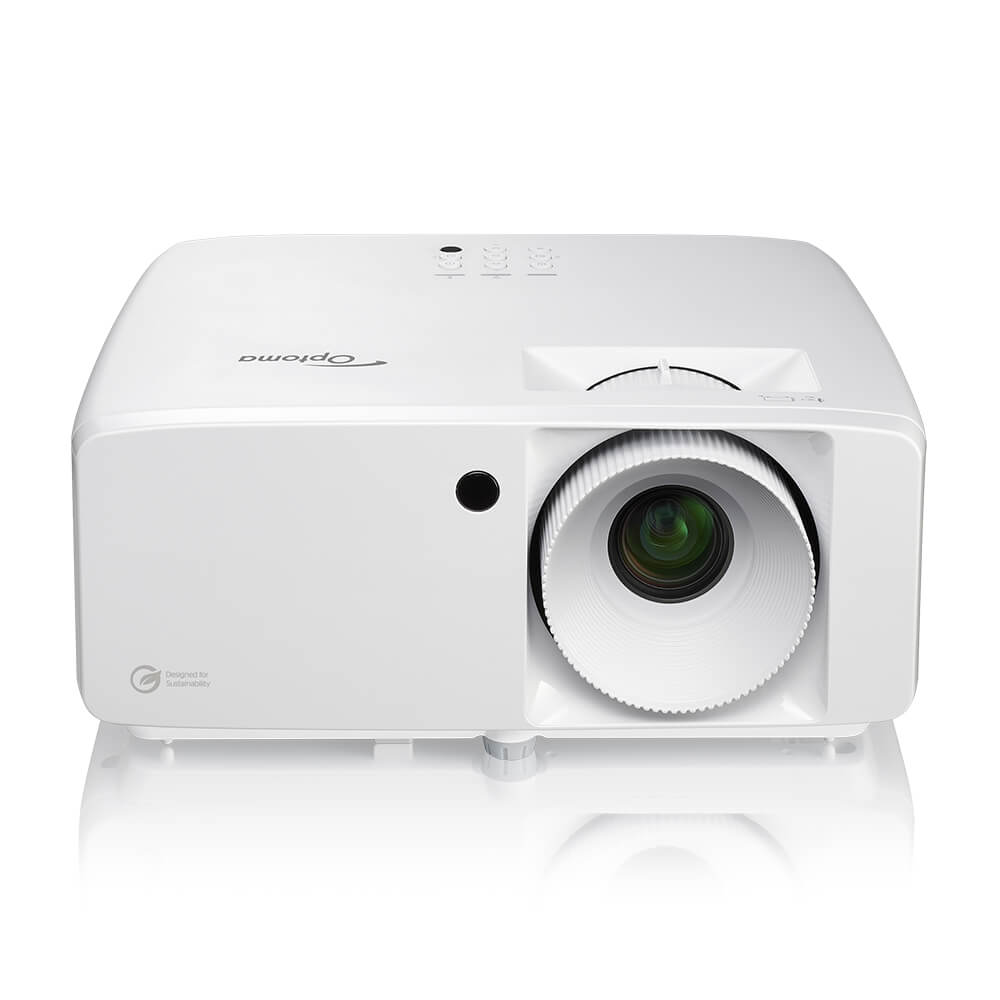
Optoma ZH521: Full HD 1080p 5,500 Lumens DuraCore Laser Business and Education Projector
Big Brightness. Dependable Performance. Zero Lamp Hassle.
The ZH521 brings 5,500 lumens* of Full HD brilliance and long-life laser reliability to classrooms, conference rooms, houses of worship, and professional spaces, delivering clear, vivid projection that keeps running year after year without lamp replacements.
Full HD 1080p Resolution - Detailed visuals for presentations, video content, digital signage, and professional display applications.
• 5,500 Lumens* to light up any room - One of the brightest projectors in its class, delivers crisp, vibrant images.
• DuraCore Laser - Up to 30,000 hours of virtually maintenance-free operation. Eliminate lamp budgets and unplanned downtime.
• Flexible Installation - Manual 1.3x zoom, 360-degree operation, and portrait projection support gives installers flexibility across room sizes, ceiling heights, and display applications.
• Professional AV Control - Optoma Management Suite (OMS™) enables centralized monitoring and control across multiple devices.
• IP6X-Certified Optical Engine - filter-free, dust-sealed optical core protects performance in high-traffic environments like schools, training centers, and houses of worship.
The ZH521 brings 5,500 lumens* of Full HD brilliance and long-life laser reliability to classrooms, conference rooms, houses of worship, and professional spaces, delivering clear, vivid projection that keeps running year after year without lamp replacements.
Full HD 1080p Resolution - Detailed visuals for presentations, video content, digital signage, and professional display applications.
• 5,500 Lumens* to light up any room - One of the brightest projectors in its class, delivers crisp, vibrant images.
• DuraCore Laser - Up to 30,000 hours of virtually maintenance-free operation. Eliminate lamp budgets and unplanned downtime.
• Flexible Installation - Manual 1.3x zoom, 360-degree operation, and portrait projection support gives installers flexibility across room sizes, ceiling heights, and display applications.
• Professional AV Control - Optoma Management Suite (OMS™) enables centralized monitoring and control across multiple devices.
• IP6X-Certified Optical Engine - filter-free, dust-sealed optical core protects performance in high-traffic environments like schools, training centers, and houses of worship.
ZK451
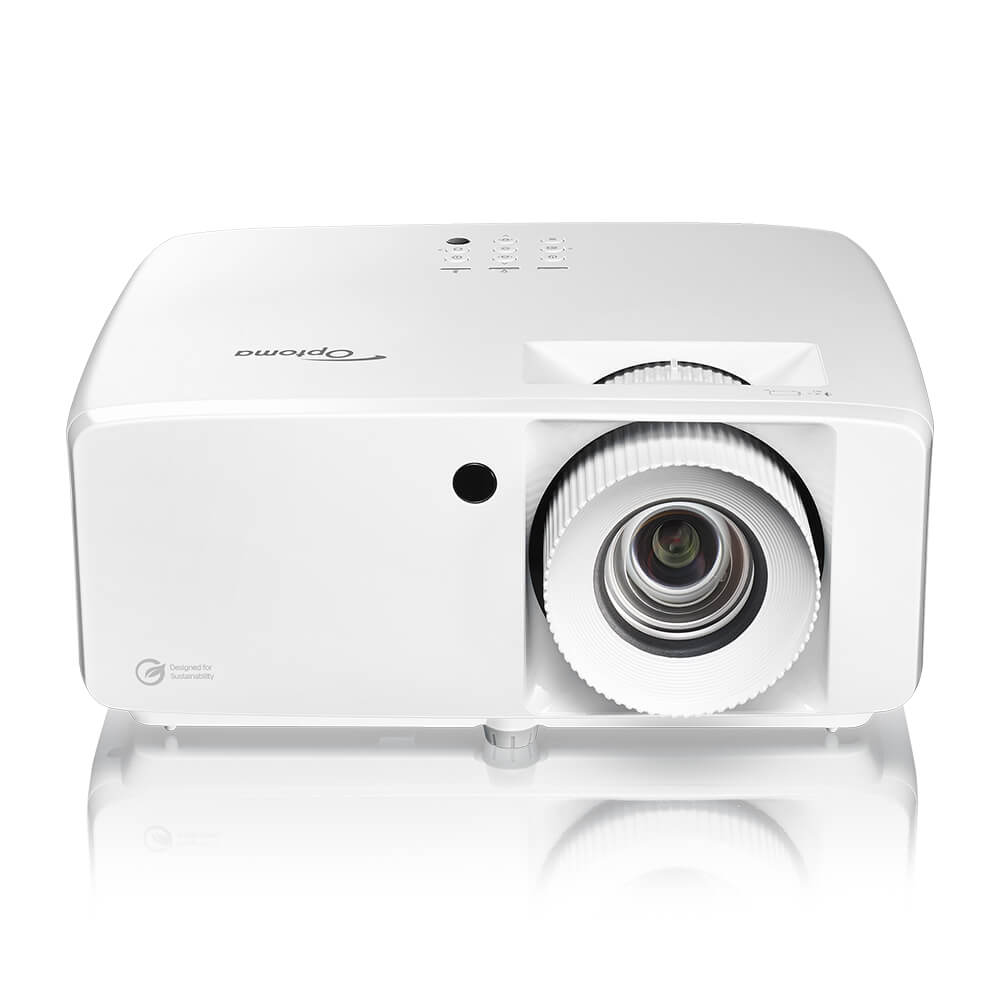
Optoma ZK451: True 4K UHD 4,500 Lumens DuraCore Laser Business & Education Projector
Bright. Built to Last.
The ZK451 brings True 4K UHD clarity and long-life laser reliability to classrooms, conference rooms, and professional spaces, delivering crisp, detailed visuals with the low-maintenance performance that busy environments demand.
True 4K UHD Resolution - Presentations, spreadsheets, and video render with exceptional sharpness and readability.
• 4,500 Lumens* of Brightness - Vivid, clear images even in rooms with ambient light.
• 30,000 Hour DuraCore Laser - Say goodbye to lamp replacement, reducing downtime and lowering total cost of ownership.
• Compact Design - Slim and lightweight that easily fits any professional space.
• Professional AV Control - Optoma Management Suite (OMS™) enables centralized monitoring and control across multiple devices.
The ZK451 brings True 4K UHD clarity and long-life laser reliability to classrooms, conference rooms, and professional spaces, delivering crisp, detailed visuals with the low-maintenance performance that busy environments demand.
True 4K UHD Resolution - Presentations, spreadsheets, and video render with exceptional sharpness and readability.
• 4,500 Lumens* of Brightness - Vivid, clear images even in rooms with ambient light.
• 30,000 Hour DuraCore Laser - Say goodbye to lamp replacement, reducing downtime and lowering total cost of ownership.
• Compact Design - Slim and lightweight that easily fits any professional space.
• Professional AV Control - Optoma Management Suite (OMS™) enables centralized monitoring and control across multiple devices.
ZK431ST-B
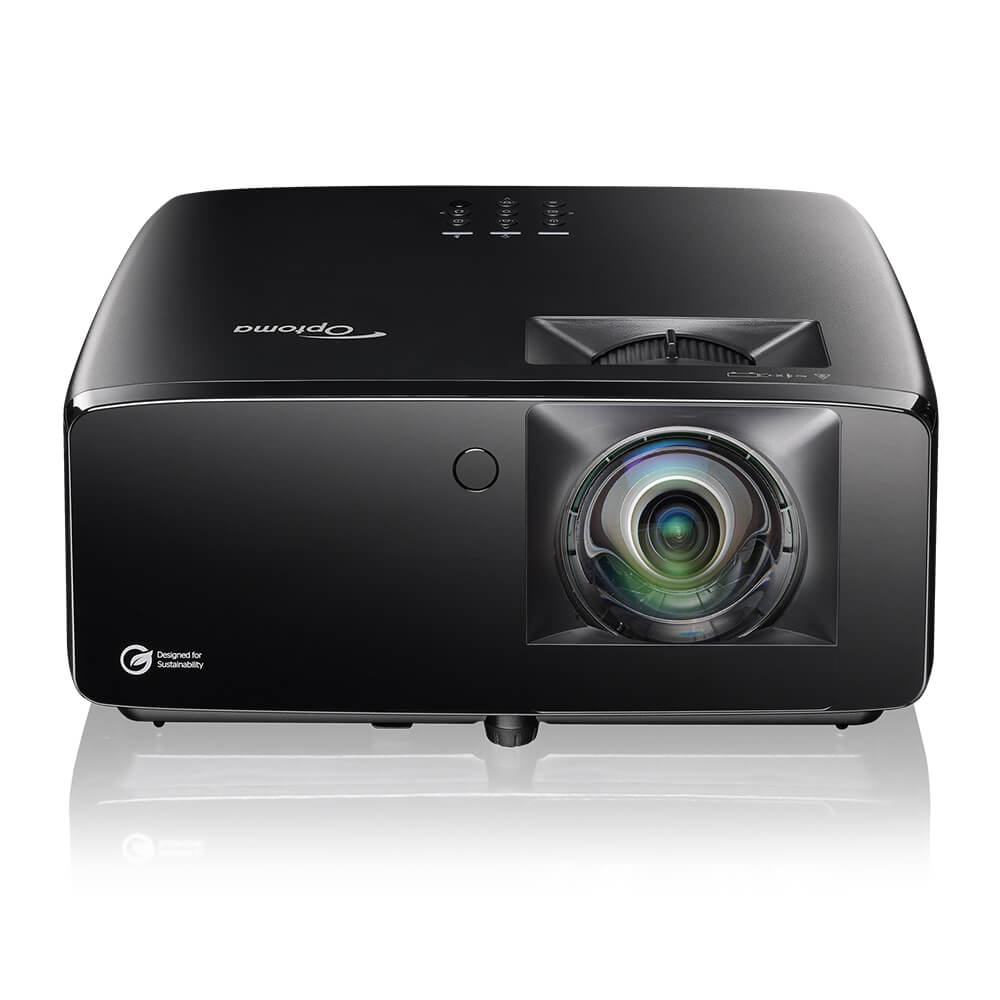
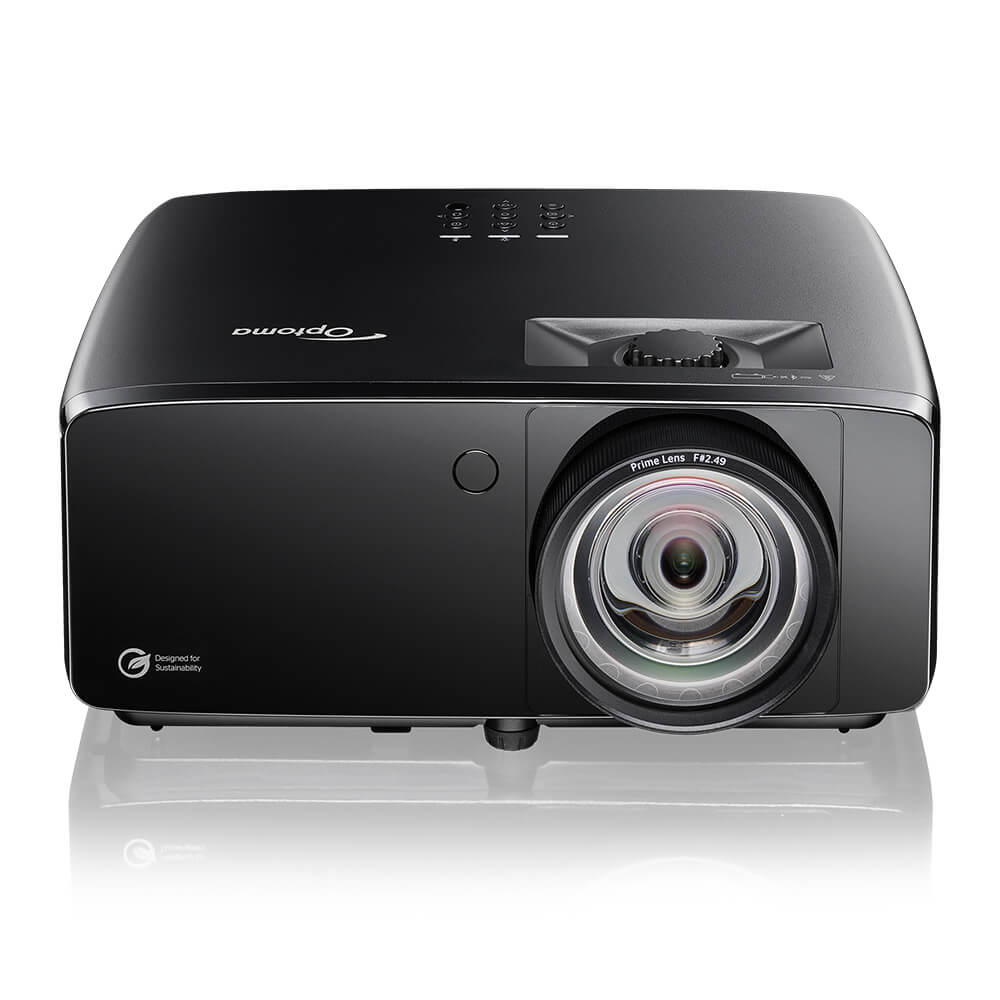
Optoma Golf Sim ZK431ST-B — True 4K UHD Short Throw 4,100 Lumens Laser Projector
Tee Off. Anytime, Anywhere with Optoma's ZK431ST-B combining true 4K clarity, compact design and a short-throw lens to make golf simulator installation easier in space-constrained rooms.
Tighter throw for smaller sim rooms: The 0.496:1 throw ratio is tighter than typical short throw designs, letting you mount the projector closer to the screen
• True 4K resolution: means sharp fairways, readable simulator overlays, and detailed course textures
• Bright enough for lights-on play: At 4,100 lumens* for home golf simulators or commercial entertainment or training spaces. *Brightness measured in accordance with ISO 21118
• Zero-maintenance laser: DuraCore laser technology delivers consistent brightness across 30,000 hours with no lamp replacements
• Four-corner correction and Smart Control App: Easy to dial in a perfect fit on any screen size from 36" to 300"
Tighter throw for smaller sim rooms: The 0.496:1 throw ratio is tighter than typical short throw designs, letting you mount the projector closer to the screen
• True 4K resolution: means sharp fairways, readable simulator overlays, and detailed course textures
• Bright enough for lights-on play: At 4,100 lumens* for home golf simulators or commercial entertainment or training spaces. *Brightness measured in accordance with ISO 21118
• Zero-maintenance laser: DuraCore laser technology delivers consistent brightness across 30,000 hours with no lamp replacements
• Four-corner correction and Smart Control App: Easy to dial in a perfect fit on any screen size from 36" to 300"
ZK521ST-B
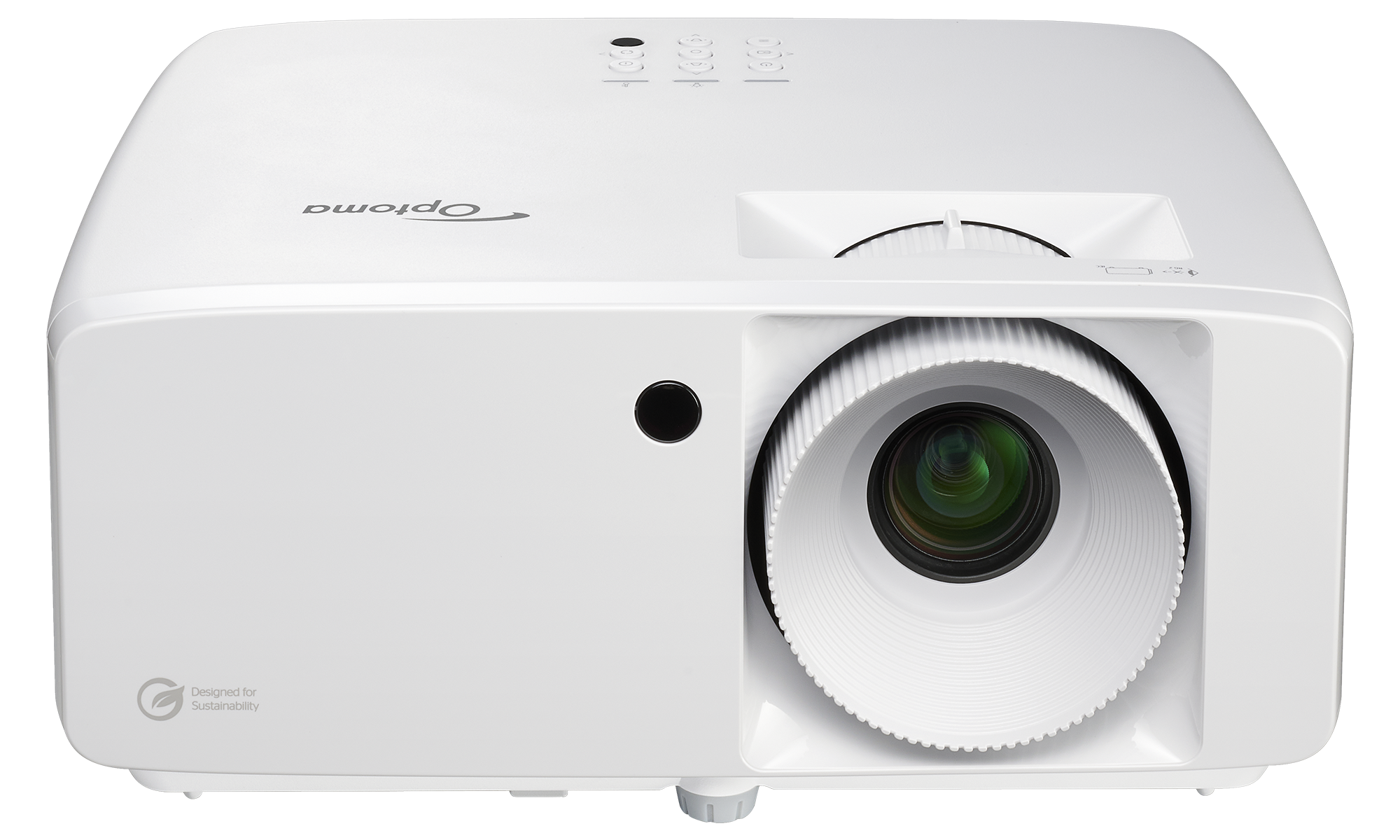
Optoma Golf Sim ZK521ST-B — True 4K UHD Short Throw 5,000 Lumens Laser Projector
Tee Off. Anywhere, Anytime with Optoma's ZK521ST-B featuring 5,000 lumens of laser-powered brightness in a short throw design built for golf simulators, immersive environments, and always-on installations. Maintenance-free with a 30,000-hour DuraCore laser source.
Golf Sim Short Throw Lens: Keeps the projector closer to the impact screen, reducing shadows and minimizing the risk of club and ball interference
• Native 4K UHD clarity: True 4K resolution renders sharper fairways, clearer greens, and legible simulator data for a more convincing playing experience
• High ambient light performance: At 5,000 lumens*, the image stays vivid for home golf simulators or commercial entertainment or training spaces. *Brightness measured in accordance with ISO 21118
• Maintenance-free laser: DuraCore laser technology eliminates lamp replacements entirely. Consistent brightness across the full 30,000-hour lifespan
• Flexible installation: Geometric correction, horizontal and vertical keystone (±15°), and the Optoma Smart Control App enable precise alignment on any screen size from 30" to 300" diagonal
Golf Sim Short Throw Lens: Keeps the projector closer to the impact screen, reducing shadows and minimizing the risk of club and ball interference
• Native 4K UHD clarity: True 4K resolution renders sharper fairways, clearer greens, and legible simulator data for a more convincing playing experience
• High ambient light performance: At 5,000 lumens*, the image stays vivid for home golf simulators or commercial entertainment or training spaces. *Brightness measured in accordance with ISO 21118
• Maintenance-free laser: DuraCore laser technology eliminates lamp replacements entirely. Consistent brightness across the full 30,000-hour lifespan
• Flexible installation: Geometric correction, horizontal and vertical keystone (±15°), and the Optoma Smart Control App enable precise alignment on any screen size from 30" to 300" diagonal
ZW521
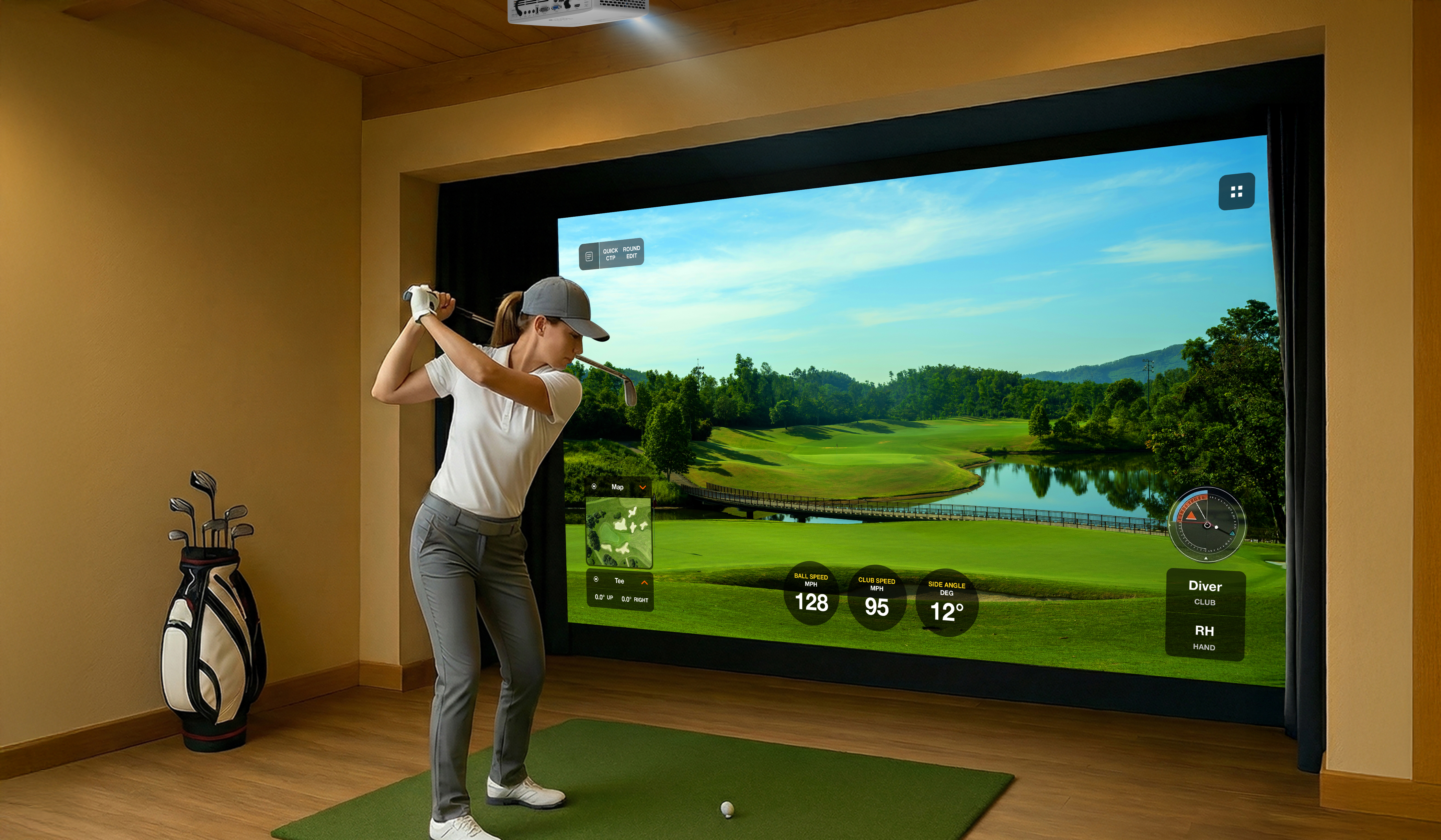
Compact High Brightness 6,000 lumens WXGA Laser Projector
The Optoma ZW521 is a 6,000 lumen WXGA laser projector engineered for 24/7 reliability in business or education spaces. This compact, maintenance-free laser solution features a 30,000-hour lifespan, 1.3x optical zoom, centralized IT management via Optoma Management Suite (OMS™) to support sustainable, energy-efficiency operation in business applications.
Optoma Smart Control App for iOS and Android can be used for projector setup, control various aspects of the projector (instead of reaching for the remote control) or instantly fine tune any image with geometry connection using the Smart Fit feature. Optoma Smart Control also allows for control of basic functions such as power-on and power-off along with accessing vital settings such as image settings, geometry correction, power management, and more. Optoma Smart Control supports Rj-45.*
*Optoma Smart Control App will be available by end of June 2026.
6,000-lumen high brightness – Clear projection for spaces with ambient light
• 30,000h laser life – DuraCore laser ensures long-term reliability and low TCO
• 1.3x zoom & geometric correction for flexible installation
• Optoma Management Suite (OMS™) – Enables centralized monitoring and control across multiple devices from anywhere in the world
• Optoma Smart Control App – Intelligent screen alignment with Smartphone (Smart Fit feature), setup and advanced configuration, and remote control directly from your iOS or Android mobile device (coming soon).
*Brightness measured in accordance with ISO 21118
Optoma Smart Control App for iOS and Android can be used for projector setup, control various aspects of the projector (instead of reaching for the remote control) or instantly fine tune any image with geometry connection using the Smart Fit feature. Optoma Smart Control also allows for control of basic functions such as power-on and power-off along with accessing vital settings such as image settings, geometry correction, power management, and more. Optoma Smart Control supports Rj-45.*
*Optoma Smart Control App will be available by end of June 2026.
6,000-lumen high brightness – Clear projection for spaces with ambient light
• 30,000h laser life – DuraCore laser ensures long-term reliability and low TCO
• 1.3x zoom & geometric correction for flexible installation
• Optoma Management Suite (OMS™) – Enables centralized monitoring and control across multiple devices from anywhere in the world
• Optoma Smart Control App – Intelligent screen alignment with Smartphone (Smart Fit feature), setup and advanced configuration, and remote control directly from your iOS or Android mobile device (coming soon).
*Brightness measured in accordance with ISO 21118
ZH451ST
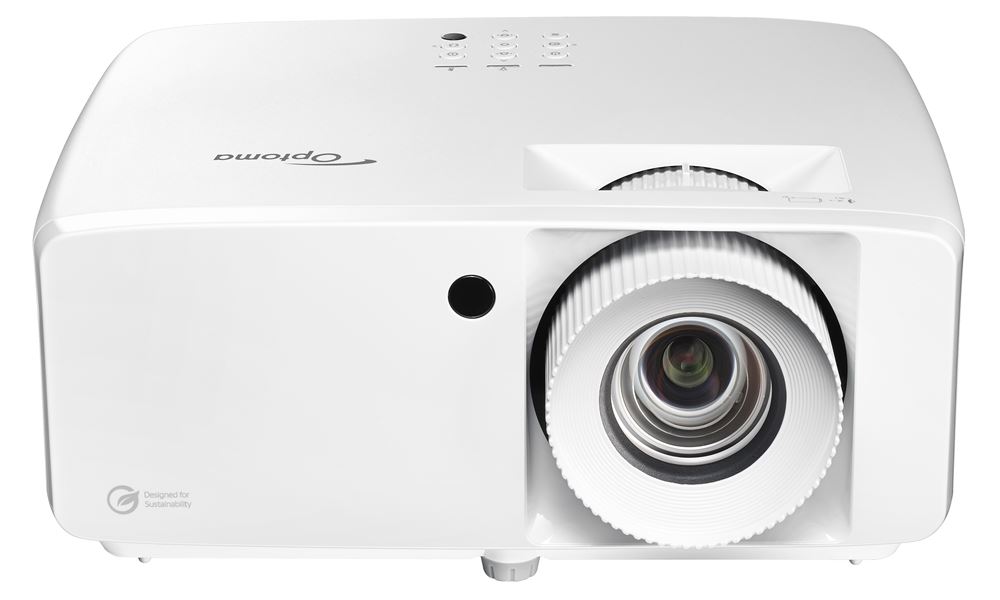
High Brightness Golf Sim and Corporate Short Throw 1080p Full HD Laser Projector
The ZH451ST is Optoma's most compact Full HD 1080p DuraCore laser projector to date.
Built for immersive simulator bays and conference rooms with tight installation spaces, the ZH451ST's short-throw design lets you place it just feet from the wall — keeping spaces open and presentations impact-ready. RS232 control and a built-in speaker round out a setup that's as practical as it is powerful.
Powered by DuraCore laser technology, it delivers 4,200 lumens* of vivid, consistent image performance for up to 30,000 hours of maintenance-free, mercury-free operation. An external power supply further enhances reliability and energy efficiency.
Built for immersive simulator bays and conference rooms with tight installation spaces, the ZH451ST's short-throw design lets you place it just feet from the wall — keeping spaces open and presentations impact-ready. RS232 control and a built-in speaker round out a setup that's as practical as it is powerful.
Powered by DuraCore laser technology, it delivers 4,200 lumens* of vivid, consistent image performance for up to 30,000 hours of maintenance-free, mercury-free operation. An external power supply further enhances reliability and energy efficiency.
ZH451
Compact High Brightness Miracast Wireless Display 1080p Full HD Laser Projector
The ZH451 is one of Optoma's most compact Full HD 1080p DuraCore laser projectors — up to 34% smaller than previous Optoma models. Delivering 4,600 lumens* of powerful image performance, it's engineered for maintenance-free continuous operation in conference rooms, boardrooms, and corporate environments.
Flexible installation is made easy with a comprehensive connectivity suite including dual HDMI 2.0, VGA-in, audio in/out, RJ-45, RS232, 12V Trigger, and a built-in speaker. RS232 support enables seamless monitoring and control, while the streamlined form factor keeps installations clean and unobtrusive.
When paired with Optoma's SmartApp for Android and iOS, the ZH451 becomes even easier to manage. Connect via LAN to power the projector on and off, adjust volume, switch display modes, fine-tune keystone and four-corner correction, and more — all from your mobile device.
Flexible installation is made easy with a comprehensive connectivity suite including dual HDMI 2.0, VGA-in, audio in/out, RJ-45, RS232, 12V Trigger, and a built-in speaker. RS232 support enables seamless monitoring and control, while the streamlined form factor keeps installations clean and unobtrusive.
When paired with Optoma's SmartApp for Android and iOS, the ZH451 becomes even easier to manage. Connect via LAN to power the projector on and off, adjust volume, switch display modes, fine-tune keystone and four-corner correction, and more — all from your mobile device.
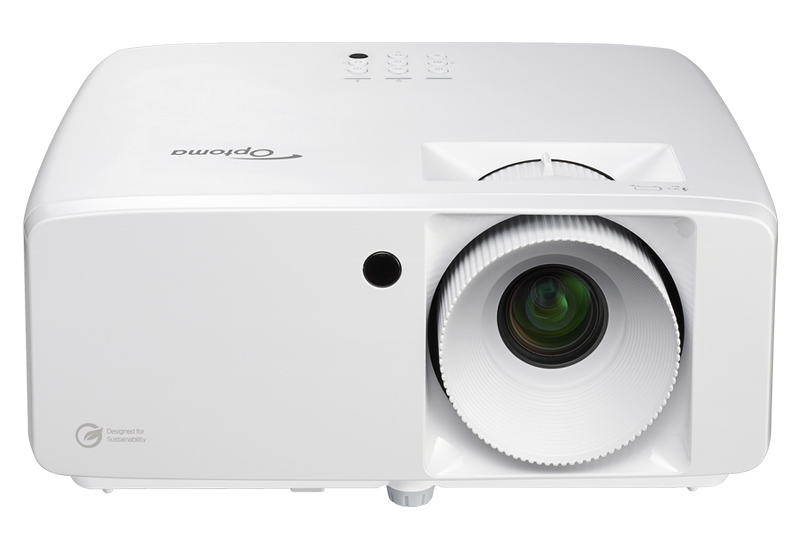
ZH401e
Brilliant Visuals. Zero Maintenance. Amazing Value! 1080p Full HD Laser Projector
The ZH401e is a hassle-free 4,600 lumens*, Full HD 1080p DuraCore laser projector featuring 2x HDMI 2.0, VGA-In, RJ-45, RS232, and more. Designed for maintenance-free continuous operation, it delivers powerful image performance with flexible installation features and extensive connectivity options in a sleek, compact form factor.
Geared for small classrooms, training rooms, small to medium conference rooms and general-purpose applications, the ZH401e features a 1.1x zoom for a flexible setup. For ultimate convenience it comes with an RS232 connection for monitoring and controlling and a built-in speaker.
When ZH401e is combined with Optoma's new SmartApp for Android and iOS, several features can be managed without the need for a PC. Power projector on and off, change volume, modify and set display modes, adjust keystone and four corner, and much more.
Geared for small classrooms, training rooms, small to medium conference rooms and general-purpose applications, the ZH401e features a 1.1x zoom for a flexible setup. For ultimate convenience it comes with an RS232 connection for monitoring and controlling and a built-in speaker.
When ZH401e is combined with Optoma's new SmartApp for Android and iOS, several features can be managed without the need for a PC. Power projector on and off, change volume, modify and set display modes, adjust keystone and four corner, and much more.